Encrypted before it leaves your browser
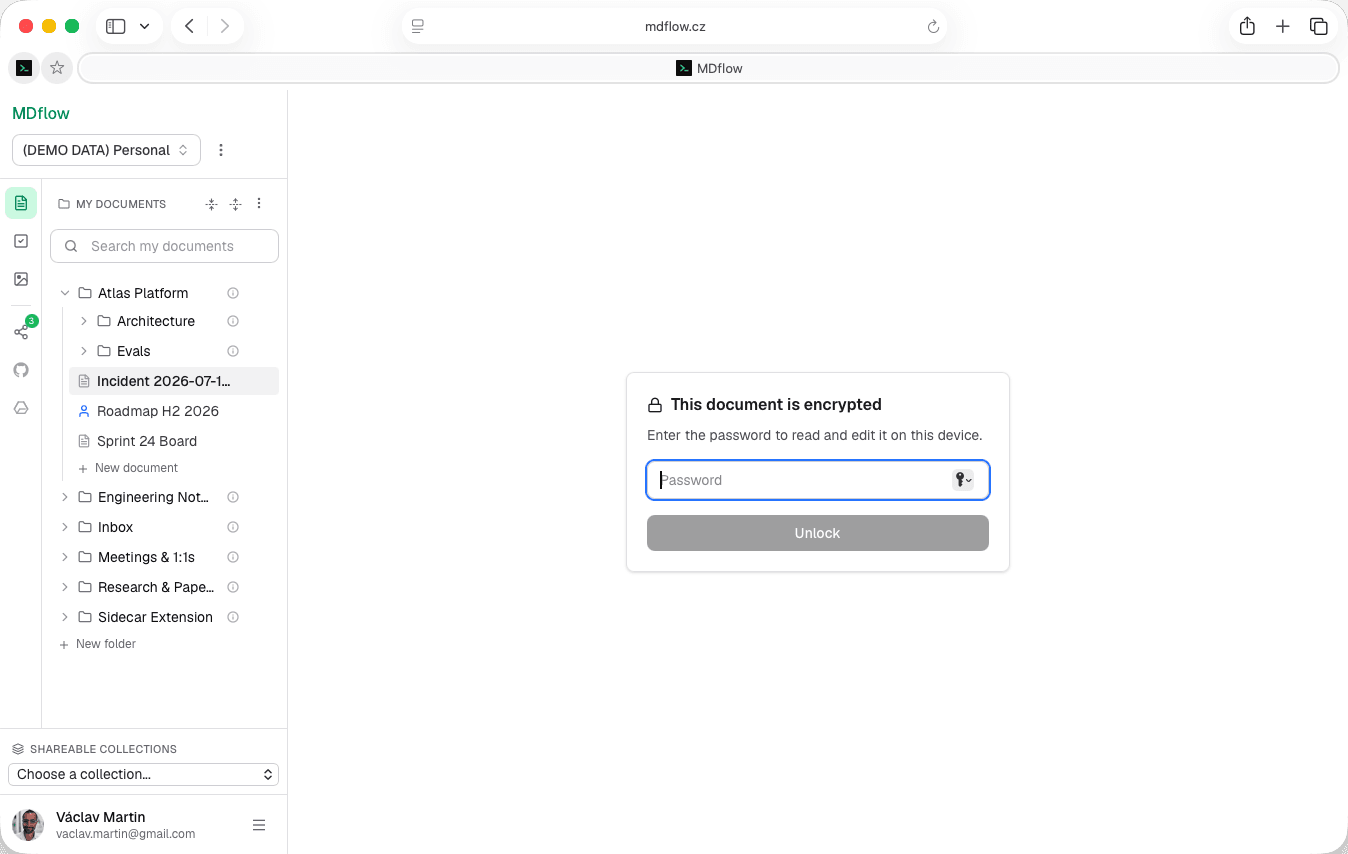
The server stores ciphertext. It never sees the text or the password.
“There are notes I want in the cloud and don't want the cloud to read.”
Interview notes about a person. The medical thing. A negotiating position. Nothing that belongs in a vault with rotation policies — just a document you would rather no server operator, no breach and no well-meaning support engineer could ever open.
The usual answer is to keep it out of the cloud entirely and then lose it. The other answer is to encrypt it where you are, and let the cloud store something it cannot read.
How it works
- 01
Pick a password
Confirmed once, to catch a typo. Save it in your browser's password manager — MDflow will suggest exactly that, for a reason.
- 02
Your browser encrypts
A key is derived from the password and the document body is encrypted locally. The plaintext never leaves the tab.
- 03
Ciphertext is stored
What reaches the server is an opaque blob. It cannot read it, and neither can anyone who reaches the database.
The specifics, stated plainly
Nothing here is a trade secret. If a notes app will not tell you its parameters, that is the finding.
- Format.
mdflow-enc:v1— a documented, versioned envelope rather than an undisclosed scheme. - Key derivation. PBKDF2-HMAC-SHA256 at 600,000 iterations, so a weak password costs an attacker real time per guess.
- Cipher. AES-256-GCM — authenticated encryption, so tampered ciphertext fails to decrypt rather than decrypting to something wrong.
- Where it runs. Entirely client-side, in the browser, on the phone, or in the CLI on your machine. There is no server-side path that touches plaintext.
Living with it
Encryption you have to fight is encryption you stop using.
- Unlock once per device. Enter the password to read and edit. The derived key is remembered on that device, so the document reopens without retyping it.
- Lock on demand. Lock it again whenever you want, and the password is required before the next read or edit on that device.
- Reversible. Remove encryption at any time and the document goes back to being plain markdown — searchable, scannable and agent-readable again.
- Versioned as ciphertext. Version history still captures snapshots, stored encrypted. Viewing a diff or restoring requires the document to be unlocked in the browser.
The same document, everywhere
One envelope format across three implementations, so an encrypted note is not hostage to the client that made it.
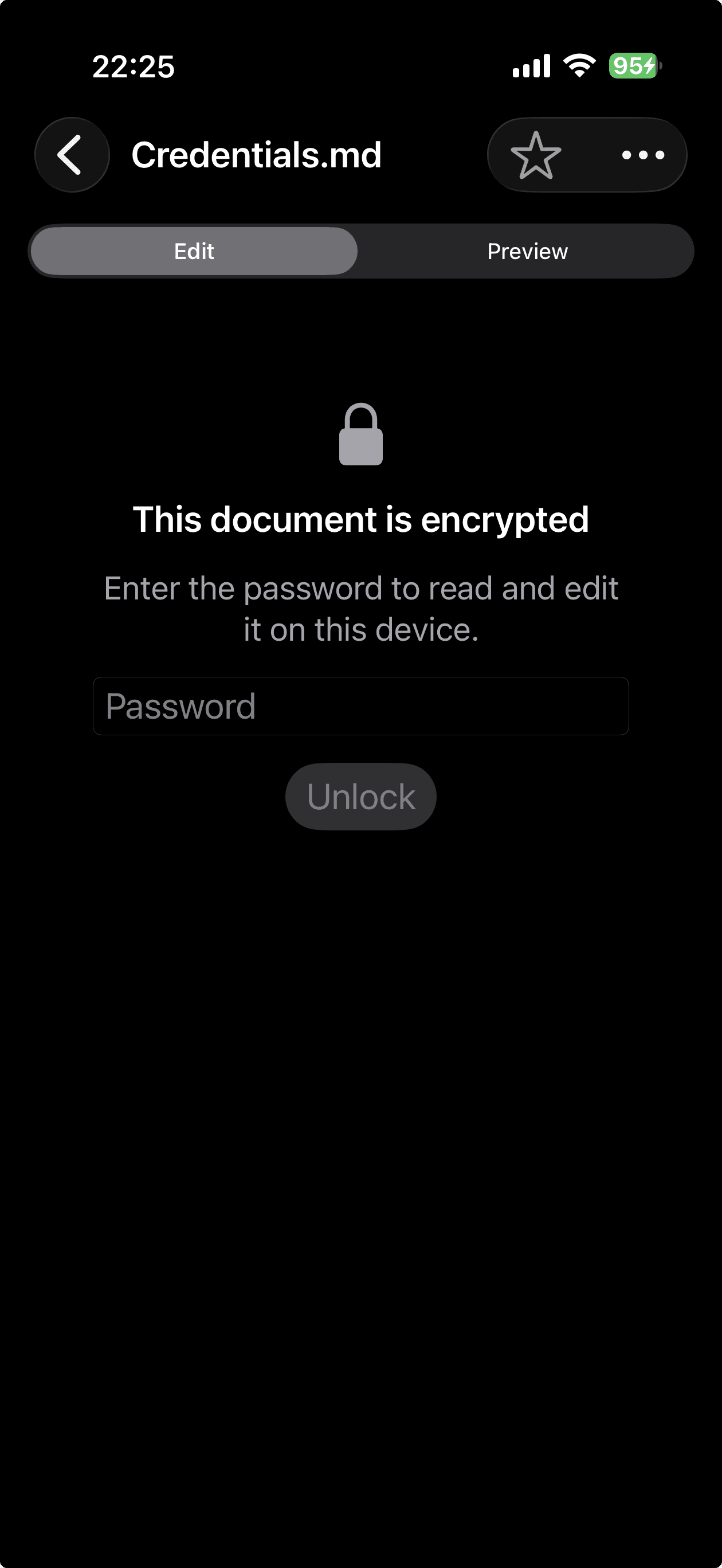
- In the browser. Where you encrypt it, read it and edit it day to day.
- On iPhone and iPad. The same format, so a document encrypted in the browser opens on the phone with the same password. After the first unlock the derived key lives in the device Keychain behind Face ID or Touch ID.
- In the CLI.
mdflow-cryptencrypts and decryptsmdflow-enc:v1files locally, so you can work with them outside MDflow entirely. - One password, three surfaces. Not three formats that happen to be called encryption. The same envelope and the same derivation, so nothing is trapped in one client.
What it costs you downstream
This is the part most encrypted-notes pages skip. Encryption is not free — it removes the document from everything that needs to read it.
- Excluded from search. The server has no plaintext to index. An encrypted document still matches on its title, and shows a lock icon with an “Encrypted — contents not searched” note in place of a snippet.
- Skipped by the Tasks scan. A
- [ ]inside an encrypted document never reaches the Tasks list. Encrypted documents are counted and skipped, never scanned, and on iOS they refuse task writes. - Unreadable to your own agents. Over MCP and the HTTP API, an encrypted body is ciphertext. Claude cannot read it, Cursor cannot read it, and nor can a workflow — because none of them have the key, and that is the point.
- No images. Encrypting a document removes its uploaded MDflow images first, and images cannot be added while it stays encrypted.
Which leads to the practical advice: encrypt the handful of documents that genuinely need it, not the workspace. Everything you encrypt is something your search, your task list and your assistants can no longer help you with.
Sharing one
Possible, with one manual step that cannot be automated away without defeating the point.
- A password gate. The reader opens the share link and is asked for the password before anything renders.
- You pass it separately. Over a different channel from the link. If both travel together, you have shared a document with a longer URL.
- You are warned. The sharing settings tell you the recipient will need the password before the share is created, rather than after they ask why it looks broken.
- Still no server access. Decryption happens in the reader's browser too. MDflow does not decrypt on their behalf to render the page.
What it doesn't do
Be clear-eyed about the shape of this. It is document encryption, not a security product:
- No password recovery. None. Forget it and the document is gone — that is what makes the rest of the claim true.
- Only the body is encrypted. Titles, folder names and workspace structure stay readable. Do not put the secret in the title.
- This is not a secrets manager. No rotation, no scoping, no sharing model, no audit of who read what. Keys and credentials belong somewhere built for them.
- Encrypted documents drop out of the product. No search, no tasks, no agent access, no images. Encrypt deliberately, not by default.
Questions
Can MDflow read my encrypted documents?
What exactly is encrypted?
What happens if I forget the password?
Can I share an encrypted document?
Is this a secrets manager?
Does encryption cost extra?
Related
- mdflow-cryptThe local CLI that encrypts and decrypts mdflow-enc:v1 files on your own machine.
- Client-side encryption for online notesThe longer argument, and what to check before trusting any app that claims this.
- Share documents with othersHow sharing works when the document isn't encrypted — links, email invites and comments.
Keep it in the cloud. Keep it unreadable.
Pick the two or three documents that actually need it, set a password, and save that password in your password manager. Everything else stays searchable, scannable and agent-readable.
Encryption is free on every plan, on the web and in the iPhone app. There is no password recovery.