Your workspace on iPhone and iPad
A free native app on the same account. Nothing to sync, nothing to pair.
“My notes app is a browser tab I can't reach from a queue.”
Most of what you want to do with notes on a phone takes fifteen seconds: check what a document said, tick something off, dump a thought before it evaporates. A browser tab is the wrong shape for all three — and it is not in the share sheet, not on the Action Button, and not something Siri can write to.
So the phone app is not a smaller version of the web app. It is the capture-and-check half, done natively, on the same documents.
Sign in and the tree is already there
One account, the same workspaces, the same folder tree — nothing to set up on the phone.
- Four ways in. Sign in with Apple, Google, GitHub or Microsoft — the same four providers as the web, on the same account. No pairing step, no second subscription.
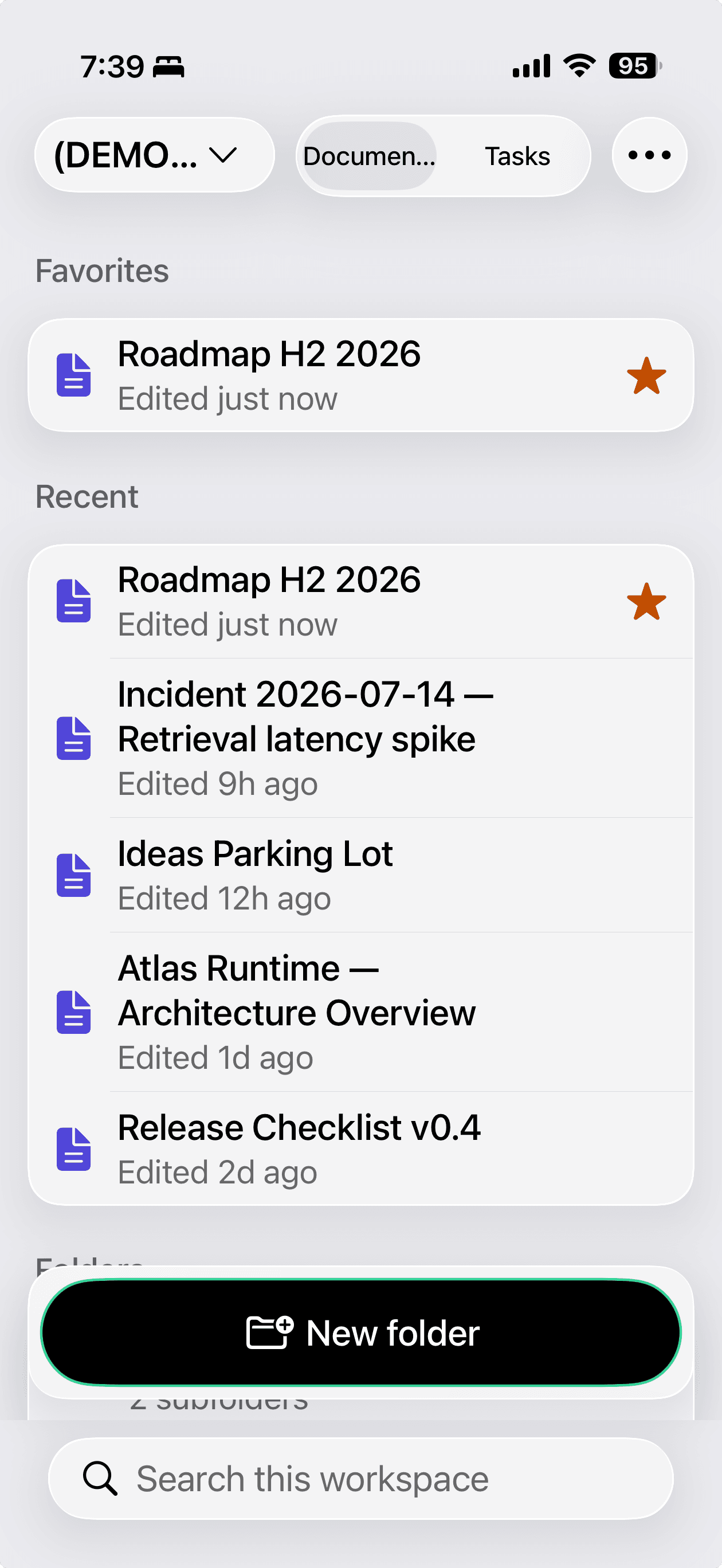
- The tree you already have. Favourites, a Recent section with the five most recently updated documents, and the top-level folders — tap in and walk a tree of any depth. Switch workspaces from the toolbar.
- Always current. Pull to refresh, and every document shows a relative “edited 5m ago” so you can see at a glance what moved since you last looked.
- Reads like the web. GitHub Flavored Markdown — headings, lists, task lists, tables, code blocks, blockquotes, dividers, and images referenced by URL — plus a persistent text-zoom control.
Search that reads bodies, not just titles
One field over the whole workspace, showing the matched words in place so you can tell the document you meant from the one that merely sounds like it.
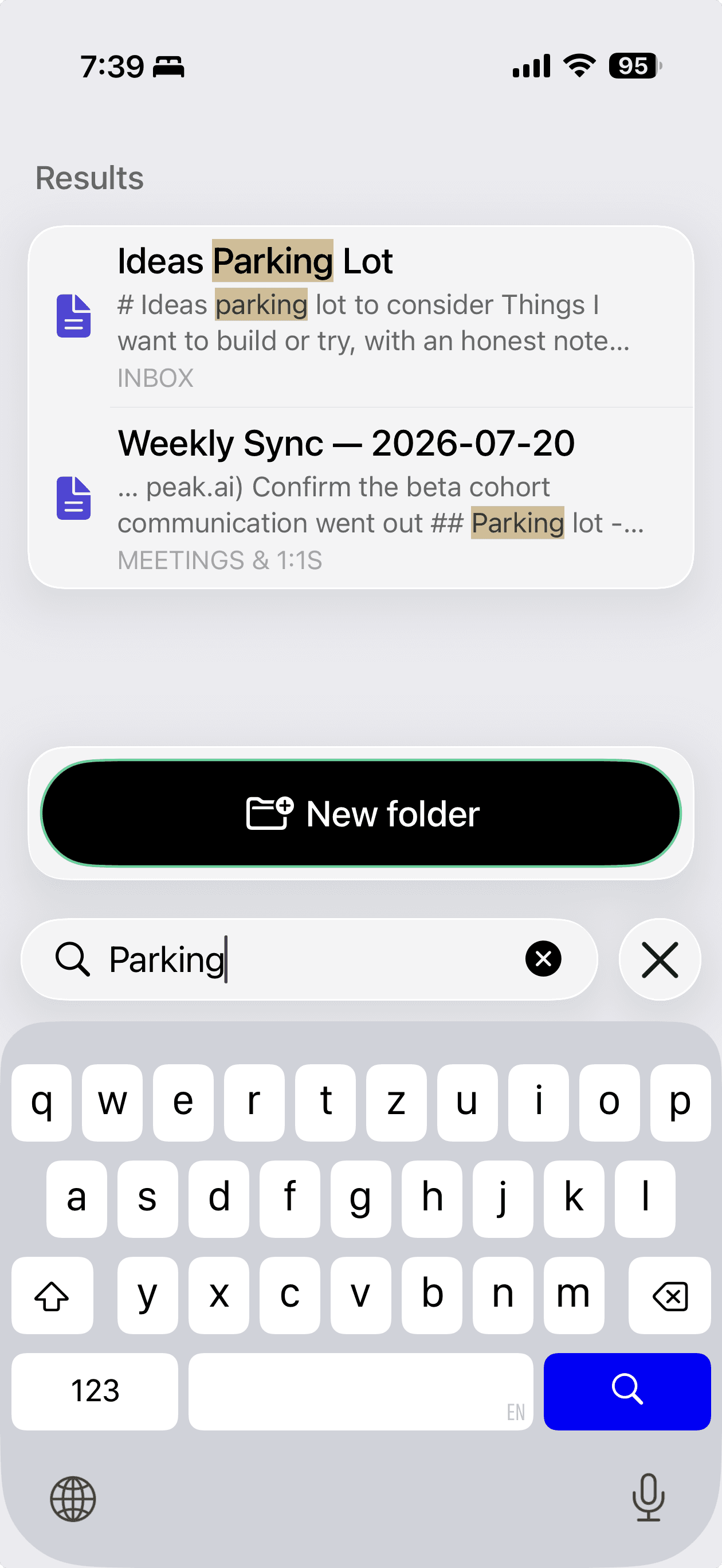
- Titles and bodies. The whole workspace by document title and by the text inside it, with the matched words highlighted in the title and in the line they were found on.
- Says where each hit lives. Every result is labelled with the folder it came from, so two documents with similar names are still easy to tell apart.
- Straight into the document. Tap a hit and you open the document itself, at the match.
Editing that saves itself
Quick edits on the move, with the file management you would expect rather than a read-only viewer.
- Autosave with a visible state. Debounced autosave and a live Saving… / Saved / Not saved indicator; a pending edit is flushed when you leave the screen. Unlike the web, autosave on the phone is not Pro-gated.
- Real file management. Create documents in a folder, rename, move with an indented folder picker, delete, favourite. Create, rename and delete nested folders too — new titles are normalised to end in
.md. - Paths that match the web. Copy a document's full path —
MDflow / Workspace / Folder / Document.md— using the same convention as the browser, ready to paste into an agent prompt. - Out through the share sheet. Share or export any document as a real
.mdfile through the system share sheet.
Tasks, on the phone where you finish them
Not a separate to-do app: the same - [ ] lines in the same documents, parsed by a port of the web parser.
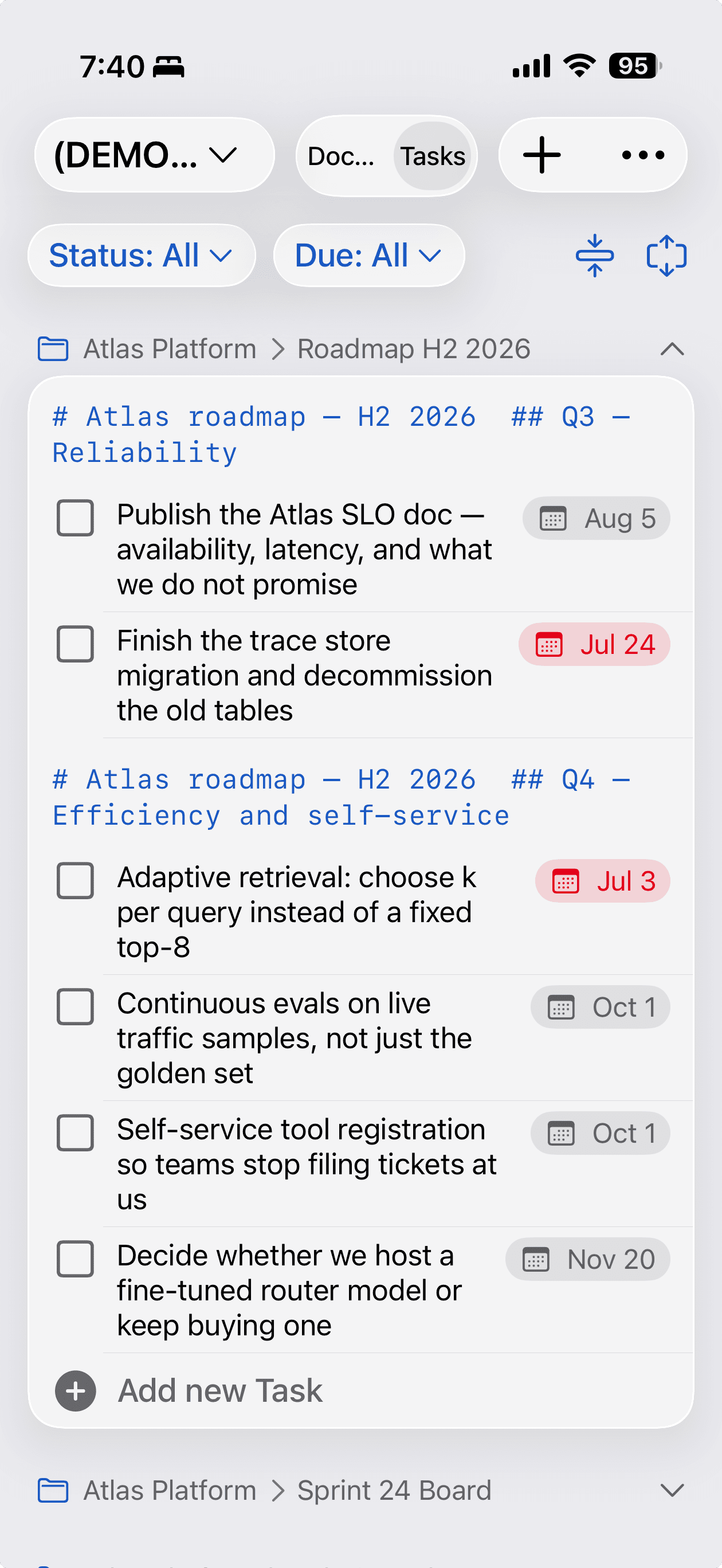
- The same checkbox lines. A Documents / Tasks switch turns the home screen into the task list. The phone runs a port of the web parser, so
(YYYYMMDD)due dates and(email)owners written on either surface read correctly on the other. - Grouped and filtered. By document and by heading, filtered by status (all, outstanding) and by due date (today, this week, next week), with its own persistent text zoom.
- Tap to complete. With a completion sound and a success haptic. Open a task in a sheet to change its text, its done state or its due date — overdue chips show red, today amber.
- Quick-add anywhere. A quick-add button with a destination picker, or an “Add new Task” row inside any document's card. With no destination chosen it writes to a
Tasksdocument in aniOSfolder.
Capture from anywhere in iOS
The reason a native app earns its place. Six entry points that do not require opening MDflow first.
- Share to MDflow. Send text or a file from any app's share sheet. The capture is queued on the device — so it works offline, and even signed out — and imports into an
iOSfolder next time the app opens. - Open in MDflow. Registered as a system Open-With target for
.md,.markdownand.txtfrom Files, Mail, Safari, AirDrop and other document apps. The file imports immediately and opens in the editor. - Action Button and Control Center. A New Note control for the Action Button, Control Center and the Lock Screen controls gallery. One press starts a note and opens the app on it.
- Siri and App Shortcuts. Open a document by name, search documents by title, create a note with an optional title and text, or append a line to an existing document.
- Home-screen widget. A small configurable Document tile: pick a document, tap the tile, land in it. Add several widgets for several documents.
- Spotlight. Document titles across every workspace are indexed into iOS system search. Only titles — never bodies — and every entry is removed on sign-out.
Encrypted notes, opened with Face ID
The same format as the browser and the CLI, so one password opens a document in all three.
- One format everywhere.
mdflow-enc:v1— PBKDF2-HMAC-SHA256 at 600,000 iterations, then AES-256-GCM. A note encrypted in the browser opens on the phone with the same password. - Editable once unlocked. Every autosave re-encrypts the document before it leaves the device. The server never receives plaintext.
- Face ID after the first time. The derived key is kept in the device Keychain behind biometric protection, so it reopens with Face ID or Touch ID instead of the password.
- No recovery. Lose the password and the document is gone. That is what client-side encryption means — see the encryption page for the full picture.
What the app deliberately leaves to the web
A universal iPhone and iPad app with a single-column layout, following the system light or dark appearance. It requires iOS 26.5, and it does not try to be the whole product:
- No image upload. You can view images in a document; adding one is desktop-only.
- No sharing, collections, comments or version history. Those are wider-screen work and stay on the web.
- No offline reading or editing. Capture queues offline; opening a document needs a connection.
- Workspaces switch, but aren't managed. Creating, renaming and deleting a workspace happens on the web.
Questions
Does the iPhone app cost extra?
Do I have to sync anything?
Does it work offline?
Can I encrypt notes on my phone?
Is there an Android or macOS app?
What can't it do compared to the web?
Related
- TasksThe full task syntax and the desktop view the phone list mirrors.
- NotesThe editor, folder tree, search and export on the web side.
- Keep sensitive notes encryptedOne password, three surfaces: browser, iPhone behind Face ID, and the CLI.
- The write-upWhy the app is free, what it deliberately leaves out, and how capture works.
Capture on the phone. Write on the laptop.
The app is free and signs in to an MDflow account — the same one you use in the browser — then puts your markdown in the share sheet, on the Action Button, in Siri and in Spotlight.
Free, nothing Pro-gated, no tracking and no collected data. Requires iOS 26.5. The account is free too — 100 documents, no card.