Client-Side Encryption for Notes You Store Online
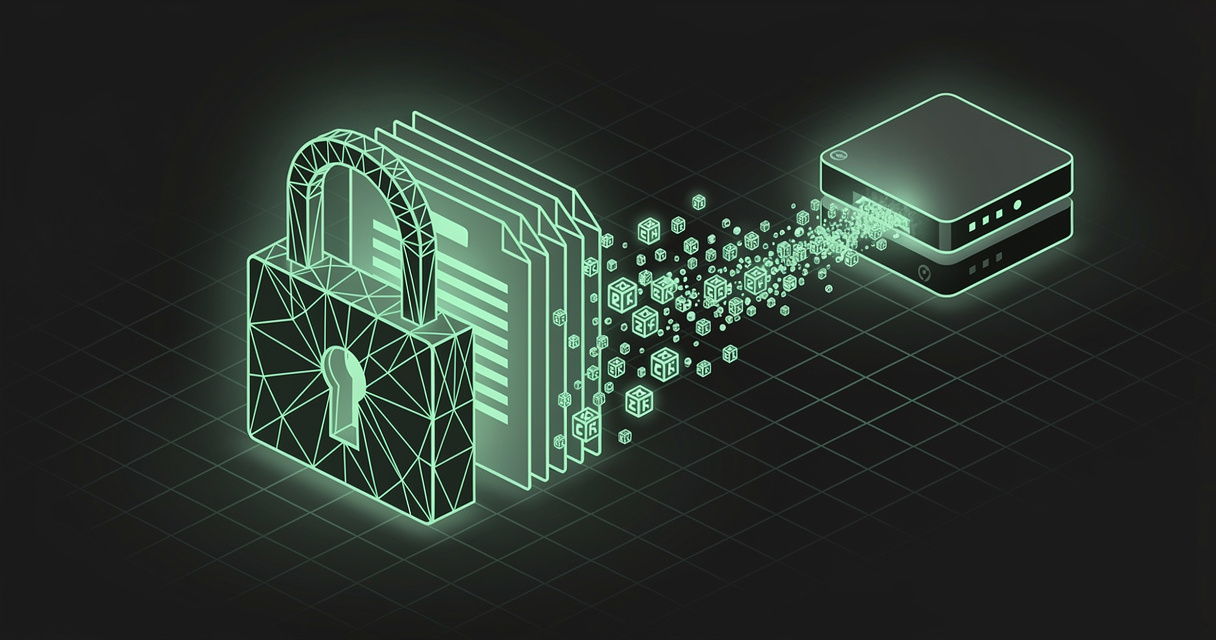
The most valuable thing you keep online is no longer a photo album or an inbox — it is your context: the notes, drafts, credentials, research, and accumulated knowledge that increasingly feed not just you but the AI agents working on your behalf. Almost all of it now lives in someone else's cloud, in a form that someone else's servers can read. Client-side encryption is the one technique that lets you keep the convenience of the cloud without handing over the plaintext.
That convenience is a wonderful trade. The privacy default underneath it is a quieter one: nearly every mainstream notes app stores your words in a form its own servers can read, which means a breach, a rogue insider, an overbroad subpoena, or a misconfigured backup can read them too. This post explains what client-side encryption is, the real cloud-vs-self-hosted tradeoff it resolves, and how MDflow encrypts your documents so the server never sees a word.
TL;DR — Client-side encryption encrypts your notes in the browser before they reach the server, so the provider stores only ciphertext it cannot read. You get cloud convenience with close to self-hosted privacy, without running your own server. MDflow encrypts any document with AES-256-GCM and a PBKDF2-derived key entirely in your browser — the server only ever stores ciphertext, on every plan. (A native iOS app and one-click OAuth for AI agents are both coming soon.)
What is client-side encryption?
Client-side encryption is encryption that happens on your device, before your data is uploaded — and decryption that happens only after it is downloaded back. The server in the middle only ever handles a blob of ciphertext it has no way to read.
Concretely, the flow looks like this:
- You type a note. It exists as plaintext only in your browser's memory.
- When you save, your browser derives an encryption key from a password you choose, and encrypts the note locally.
- Only the resulting ciphertext travels over the network and is written to the database.
- To read it again, your browser fetches the ciphertext and decrypts it locally with the same password-derived key.
What the server actually stores looks like this — meaningless without your password:
mdflow-enc:v1:5oF3a2t...long-base64url-blob...kQ
It helps to separate three terms that often get used interchangeably:
- Client-side encryption is the mechanism — encrypt before upload, decrypt after download.
- Zero-knowledge describes the result — the provider has zero knowledge of your keys or your plaintext.
- End-to-end encryption (E2EE) is the same idea applied to communication — only the sender and the recipient can read a message.
There is an honest ceiling worth stating up front, because vendors rarely do. In a web app, the same server that stores your ciphertext also delivers the JavaScript that encrypts it, so a truly malicious provider could in principle ship code that captures your password. That is why browser-based client-side encryption is strongest as a defense against the most common real-world failure: a breach of stored data — a leaked database, a stolen backup, an over-retentive log, an exposed storage bucket. That is the threat it removes completely, and it is the threat that actually befalls people.
Why client-side encryption matters now
Answer first: because the amount of sensitive context we keep online has exploded, and "the provider can read it" is no longer an acceptable default for the parts that matter.
For the individual, it is about who can read your words. "We encrypt your data" almost always means encryption at rest — the provider holds the keys and decrypts your content whenever it (or anything that compromises it) needs to. That protects against a stolen hard drive; it does not protect against a database breach, a malicious insider, or a legal demand served on the provider. Client-side encryption changes the math: there is no plaintext on the server to leak, hand over, or mine. The provider cannot give away what it never had.
For AI workflows, it is about drawing a deliberate line. This is the part most teams miss. The whole point of putting your knowledge online today is that agents can use it — search it, summarize it, act on it. But an agent can only use what the server can read. So encryption and AI-readability are, correctly, mutually exclusive per document: the secrets you encrypt become invisible to agents, and the context you want agents to use stays readable. Good tooling lets you make that choice document by document instead of forcing one global switch.
The real tradeoff: cloud convenience vs. self-hosted control
For years the security-conscious answer to "where should my notes live?" was self-host everything: run your own server, hold your own keys, trust no one. It is a real option, and for some threat models the right one — but it quietly moves a pile of work and risk onto you.
| Managed cloud (default) | Self-hosted | Cloud + client-side encryption | |
|---|---|---|---|
| Setup & maintenance | None | You patch, back up, secure | None |
| Access anywhere | ✅ | ⚠️ You expose & secure it | ✅ |
| Durability & backups | Provider's job | Your job | Provider's job |
| Who can read plaintext | The provider | Only you | Only you |
| Breach-at-rest exposure | Plaintext leaks | Depends on your setup | Ciphertext only |
| Convenience | High | Low | High |
Self-hosting maximizes control, but most individuals and small teams run backups, patching, and physical security worse than a dedicated provider does — trading one risk for several. Pure managed cloud maximizes convenience but concedes that the provider can read everything.
Client-side encryption is the bridge between the two extremes. You keep the managed cloud's convenience — nothing to run, access from any device, someone else worrying about durability — while the provider stores only ciphertext it cannot read. For the documents that matter, you get self-hosted-grade secrecy without becoming your own sysadmin. You do not have to choose between convenient and private; you choose per document.
Which documents need it most
Most notes do not need encryption — and shouldn't have it, if you want agents to use them as context. But some categories almost always do:
- Credentials and secrets — API keys, recovery codes, license keys, connection strings.
- Personal and health information — anything you would not want surfacing in a breach disclosure.
- Legal, financial, and HR material — contracts, term sheets, salary notes, board material.
- Unpublished intellectual property — product plans, research, manuscripts, specs before launch.
- Client and third-party data — anything you are contractually or ethically bound to protect.
- Private journals and personal writing — the notes that are simply nobody else's business.
The common thread: content whose exposure would cause real harm, and which you do not need a server (or an agent) to read on your behalf.
How MDflow encrypts your documents
MDflow is built so the documents you want to keep private never reach the server as plaintext — while the documents you want agents to use stay fully readable. Here is exactly what happens today, and where we are headed.
What MDflow does today
Encryption happens entirely in your browser. When you encrypt a document, MDflow encrypts its markdown body with AES-256-GCM using the browser's built-in Web Crypto API — no third-party crypto libraries involved. The plaintext never leaves your device.
Your key is derived from your password — strongly. MDflow runs PBKDF2-HMAC-SHA-256 at 600,000 iterations over your password with a random 16-byte salt to derive the 256-bit key. That iteration count matches OWASP's current recommendation for PBKDF2-SHA-256, chosen to make brute-forcing the password painfully slow. Every save uses a fresh random initialization vector, and AES-GCM's authentication tag both protects the ciphertext from tampering and doubles as the password check.
The server only ever stores ciphertext. An encrypted body is saved as a self-describing marker — mdflow-enc:v1: followed by the base64url of the salt, IV, and ciphertext. MDflow's servers treat it as an opaque string; they never receive your password and never see your text. The v1 tag pins the exact parameters, so the scheme can evolve later without stranding older documents.
Unlock once per device, lock on demand. After you unlock a document, the derived key — not your password — is cached for that document on that device, so you are not re-typing the password on every visit. A manual Lock clears it instantly. And because there is no key escrow, there is no recovery: if you lose the password, the document is gone, so save it in a password manager.
Sharing still works — without the server learning the secret. Share an encrypted document and your reader sees a password gate; they enter the password you passed to them out-of-band, and the decryption happens in their browser. The link alone reveals nothing.
It is honest about its limits. MDflow's encryption is designed for breach-at-rest — a leaked database, backup, or log. It deliberately does not claim to defend against a compromised device or the document's title and folder names, which stay readable so you can still organize and find your files. Only the body is encrypted. Naming the threat model is part of deserving your trust.
Encryption and AI access are a deliberate, per-document choice. Because an encrypted document is unreadable to the server, MDflow excludes it from search and returns it only as opaque ciphertext through the HTTP API and the MCP server. That is the tradeoff, stated plainly: encrypt the secrets you want no one — not even your own agents — to read, and leave the context you want agents to use unencrypted. MDflow's folders, folder descriptions, and the mdflow_get_context tool then make that readable context easy for agents to retrieve. You decide where the line falls, document by document.
And notably, encryption is free. It is available on every MDflow plan, not gated behind Pro — alongside public and private sharing, collections, and comments. (See the FAQ for the full plan breakdown.)
Where MDflow is headed
The roadmap below is direction, not a dated commitment — but two pieces are close, and both make encrypted, agent-connected context easier to live with:
- A native iOS app — coming soon. Today MDflow runs in any mobile browser, and the Web Clipper already reaches Safari on iOS and iPadOS. A dedicated iOS app is on the way, so capturing, reading, and unlocking your encrypted notes on the phone becomes first-class.
- One-click OAuth for AI agents — coming soon. Connecting an agent today means creating a Personal Access Token and pasting it into your tool. Native OAuth is coming so that OAuth-only surfaces — like the ChatGPT app and Claude.ai on the web — can connect to your workspace with a single authorize-and-go flow, no token copying. Today's token-based MCP and API access keeps working unchanged.
- More to keep private. Body-only encryption is the start; protecting more metadata over time is a direction we care about — and one we would rather under-promise than overstate.
The bottom line
Your notes — and the context you hand to AI agents — are worth protecting, and you should not have to run a server to do it. Encryption at rest protects the provider's hardware; client-side encryption protects you from the provider. It is the one move that keeps cloud convenience while making a breach of stored data a non-event, because there is no plaintext to leak.
MDflow gives you that today: per-document AES-256 encryption performed in your browser, on every plan — with the secrets you encrypt staying server-blind and the rest of your workspace staying readable and agent-ready. A native iOS app and one-click agent OAuth are on the way.
Start free · Connect an AI agent · Read the API docs
Frequently asked questions
What is client-side encryption?
Client-side encryption means your data is encrypted on your own device — in the browser or app — before it is ever sent to a server. The provider only ever receives and stores ciphertext, so it cannot read your content even if its database, backups, or logs are breached. Decryption also happens on your device, using a key derived from a password only you know.
Is client-side encryption the same as zero-knowledge or end-to-end encryption?
They overlap. Client-side encryption is the mechanism: encrypt before upload, decrypt after download. Zero-knowledge describes the result — the provider has zero knowledge of your keys or plaintext. End-to-end encryption usually refers to communication, where only the sending and receiving parties can decrypt. For a web app there is an honest ceiling: because the server delivers the JavaScript that does the encrypting, browser-based client-side encryption mainly defends against a breach of stored data, not against a fully malicious provider.
Cloud or self-hosted — which is more secure for my notes?
Self-hosting gives you maximum control, but you become responsible for backups, patching, uptime, and physical security, which most people do worse than a dedicated provider. The cloud gives you convenience and durability, but the provider can technically read your data. Client-side encryption is the bridge: you keep cloud convenience while the provider stores only ciphertext it cannot read, so for the documents that matter you get self-hosted-grade secrecy without running a server.
How does MDflow encrypt documents?
MDflow encrypts a document's markdown body in your browser with AES-256-GCM, using a key derived from your password with PBKDF2-HMAC-SHA-256 at 600,000 iterations (OWASP's current recommendation). The server only ever stores the ciphertext — it never sees your text or your password. Encryption is per-document and available on every plan, and there is no recovery: if you lose the password the document is gone, so save it in a password manager.
Can AI agents read my encrypted MDflow documents?
No — and that is by design. An encrypted document is unreadable to the server, so it is excluded from search and returned only as opaque ciphertext through the HTTP API and the MCP server. That is the deliberate tradeoff: encrypt the secrets you want no one (including your own agents) to read, and leave the documents you want agents to use as context unencrypted. You draw the line per document.
Further reading
- OWASP — Password Storage Cheat Sheet (PBKDF2 iteration guidance)
- OWASP — Cryptographic Storage Cheat Sheet
- MDN Web Docs — Web Crypto API and SubtleCrypto
- NIST — SP 800-38D: Galois/Counter Mode (AES-GCM)
- MDflow — Markdown for AI agents · MCP documentation · API documentation · FAQ