Perception Agents: Closing the Loop on Computer Use
A year ago the hard problem in computer use was getting an agent to find a button and click it on a screen it had never seen. That problem is largely solved. Agents drive browsers, and they are starting to drive desktop apps. And yet almost nobody hands an agent a real end-to-end workflow and walks away.
Antje Barth, a member of technical staff at Amazon AGI Lab, opened her AI Engineer talk in July 2026 with the reason: clicking was the easy part. Take onboarding a new team member on Monday — accounts, Slack channels, intro meetings, laptop order. Five systems, no single owner. An agent can perform every individual step. It still cannot do the job, because the real work lives in the seams between those steps, and the seams are exactly where nothing was ever written down and nothing ever gets checked.
TL;DR — Perception agents read the rendered screen the way a person does and use that reading to confirm their own actions, closing the perceive-plan-act loop that today's computer-use agents leave open. Amazon AGI Lab open-sourced the first two primitives — annotation (point at the screen instead of writing a paragraph) and verification (the agent checks its work against a design spec with CSS checks and end-to-end flow walks). Verification only works if the rules exist as a document, which is why the written spec — and its history — deserves a real home like MDflow rather than a prompt string.
What is a perception agent?
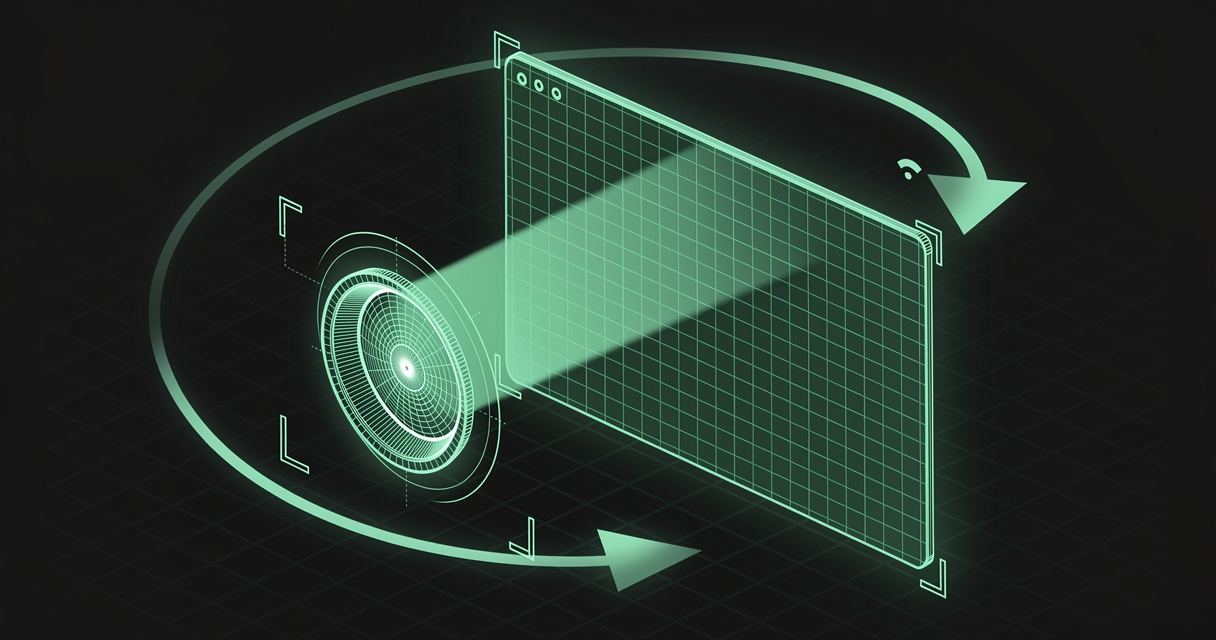
A perception agent is an agent that takes in the rendered screen the way you do — layout, state, what just changed — instead of scraping the code behind the page, and then uses that reading to verify its own actions.
The distinction is not about vision models. Plenty of agents already accept screenshots. It is about which half of the loop is present.
Robotics has had the full loop for decades: a robot perceives what is around it, plans what to do, then acts — and then perceives again, because the world may not have moved the way the plan assumed. Barth's argument is that a screen is just another environment, and that the same loop applies.
Today's computer-use agents implement the middle and the end. They plan, they act, and then they move on. They do not watch what happened. They do not recover when a step went sideways. The loop is open at exactly the point where reliability comes from.
  Robotics:              perceive → plan → act → perceive → …
  Computer use today:              plan → act → (hope)
  Perception agent:      perceive → plan → act → perceive → …
That gap has a second, more human symptom. Because the agent cannot see what you see, you spend your day explaining. You write a prompt, you wait, it comes back with something adjacent to what you meant, you write another prompt. Anyone who has worked with a colleague over a shared screen knows how much of that explanation evaporates when both parties are looking at the same thing. The agent does not need a bigger brain. It needs shared context.
Why capability stopped being the bottleneck
Because we solved capability and never solved reliability, and only reliability produces trust.
Everything the industry shipped over the last two years was capability: tool use, function calling, computer use, multi-agent orchestration. Each new primitive extended what an agent could do. None of them extended how often it did it correctly.
Run the gut check Barth ran on the room. How often does an agent complete a real end-to-end workflow? Sixty percent? Eighty? Eighty sounds respectable — until you notice it means one run in five goes wrong, and if your agent deletes a database one time in four, you will never touch that agent again. Unattended work needs the nines, not a passing grade.
There is exactly one domain where the industry got reliability to a level people actually trust, and it is worth asking why. Coding went from autocomplete to agents shipping pull requests in about three years — not because code generation got mysteriously better than screen automation, but because code came with a verification stack already installed. Compilers. Type checkers. Linters. Test suites. CI. An agent writing code operates inside a machine that tells it, in seconds, whether the last thing it did was wrong.
Screen work has none of that by default. There is no compiler for "did the onboarding flow actually complete." So the loop stays open, the human stays in it, and the agent never earns the trust it would need to be left alone.
For developers
A perception agent removes you from the tedious end of the loop, not the judgement end. The verification pass is the part you were doing at midnight — clicking through the flow one more time to check nothing broke. That work is mechanical, repetitive, and exactly what an agent that can read a rendered screen is good at. What stays yours is deciding whether a flagged violation is a bug to fix or a rule to change.
It also changes how you give instructions. Describing a visual change in prose is lossy in both directions: you spend a paragraph on "the heading in the hero section, the one above the sign-up button, not the one in the nav," and the agent still guesses. Pointing is a more precise signal than text — and cheaper to produce.
For AI agents
Because the rendered interface is the only integration surface that is guaranteed to exist. Most software people use every day exposes no API at all. No MCP server, no webhook, no documented endpoint — just a screen. An agent that works off pixels and rendered structure needs no cooperation from the vendor, no backend access, and no integration project.
That is the same bet the web clipper makes about content and MCP makes about tools, applied to interaction: meet the software where it already is.
And self-verification is what makes an agent's own output trustworthy enough to chain. An agent that can confirm step three landed can attempt step four. An agent that cannot has to hand control back to a human at every seam — which is precisely why end-to-end workflows stall.
Annotation and verification: the two primitives
Amazon AGI Lab open-sourced the first two pieces of its perception agent harness in 2026 — the Nova Act agent skills and a browser extension, both Apache-2.0. They are deliberately small and deliberately paired: one fixes the input side of the loop, one fixes the output side.
Annotation — pointing instead of describing
A Chrome extension that lets you interact with the interface directly. Hover and it resolves the element under the cursor; click to select it; or draw freehand on the surface — circle to highlight, cross out to remove, arrow to indicate movement. Each annotation is captured as a structured artifact: the DOM selector, the bounding box, the surrounding style context, and your instruction attached to the thing itself.
The output is a complete summary the agent can act on without a single round of clarification. "This heading, red." "This section, double the font size." The ambiguity that used to consume three prompt turns never enters the conversation, because the reference was captured rather than described.
Verification — the agent checks its own work
After the agent generates its change, it invokes a UI verification skill that renders the application and runs two kinds of check against a design specification:
- Visual verification — deterministic checks that read computed CSS directly from the live DOM: colours, typography, spacing, component usage, accessibility.
- Flow verification — behavioural checks where the agent walks user flows end to end, interacting with the app the way a human tester would. Add a task. Delete a task. Complete the checkout.
It produces a report with annotated screenshots and per-flow detail: what passed, and precisely what did not. In Amazon's own framing, generation and validation become one continuous loop rather than two phases separated by a human.
Notice the division of labour. The deterministic half is a real assertion — computed CSS is a fact, not a judgement. The behavioural half is a real interaction, not a screenshot diff. Neither is an LLM being asked whether something "looks good," which is the failure mode most visual-QA demos quietly rely on.
The part that isn't code: the spec
Here is the load-bearing detail, and it is easy to skim past.
A verifier can only check against something that was written down. The visual checks need to know your colours, your type scale, your spacing rhythm, your component rules, your accessibility bar. The flow checks need to know which journeys must keep working. In the talk, those rules live in a design specification the agent reads — and if you do not have one, the tooling will help you draft it from what already exists.
That means the reliability of a perception agent is bounded by the quality and freshness of a markdown document. Not by the model. Not by the harness.
Which raises the question every team hits about a week in:
- Where does that spec live so that both the agent and the designer read the same copy?
- When the verifier flags a violation, who decided whether that was a bug or an out-of-date rule — and where is that decision recorded?
- When the pass rate changes between Tuesday and Friday, did the agent change, or did the spec?
If the answer is "it's a file in one repo, pasted into a prompt in another, and there's a Figma comment that contradicts both," you have rebuilt the seam problem inside the tool that was supposed to solve it.
Which applications benefit most
- Legacy and internal software with no API — ERPs, admin consoles, insurance and healthcare portals, anything where the screen is the only interface that exists.
- Front-end and design-system work, where "on brand" is a real constraint with real rules and checking it by eye does not scale past a handful of pages.
- Cross-application workflows — onboarding, procurement, claims, expense processing — where each step is easy and the seams are where runs die.
- QA and regression testing, where flow verification replaces the midnight click-through and produces a report rather than a vibe.
- Accessibility auditing, which is mostly deterministic checks against the rendered DOM and is chronically under-resourced for exactly that reason.
- Ambient and hands-free capture, where the perception surface is a room rather than a screen — Barth demoed exactly this, wearing a Bee device through a design meeting and turning the transcript straight into applied changes plus a verification run.
How MDflow fits
MDflow does not drive a browser, read a DOM, or run a visual check. That belongs to Nova Act, to Playwright, to whatever harness you already run. What MDflow addresses is the written half of the loop — the half that determines whether the verifier has anything meaningful to verify against.
What already lines up today
The spec is markdown, with a raw twin the agent can fetch. Design rules, flow scenarios and acceptance criteria are stored as plain markdown with no proprietary layer, and every document has a raw .md twin an agent, a CI job or a skill can fetch directly. The file the verifier pulls at run time is the file a designer edits — not an export of it.
Version history answers "did the agent change, or did the rules?" Every saved change captures the previous version across every write path — editor, HTTP API and MCP — with line-by-line diffs and non-destructive restore. When a verification report starts failing checks it passed last week, that is the first question worth asking, and a diff answers it in seconds. (Version history is a Pro feature, private to the document owner, and deliberately not exposed over the API or MCP.)
Folder descriptions make the right rules retrievable. Every folder carries a description of what belongs inside it, and mdflow_get_context ranks those descriptions above folder names and document titles before returning bodies. A folder described as "Design system rules — authoritative; the UI verification skill checks rendered output against these" is a retrieval signal you wrote on purpose, not one inferred from a filename. That is why folder descriptions beat file names.
One workspace, reachable from wherever the loop runs. The same documents are available from Claude, ChatGPT, Cursor and Codex over the remote MCP server with OAuth or a Personal Access Token, and from scripts, CI and n8n over the HTTP API. If the verification skill fetches the spec at run time, it cannot drift from the copy the team edits, because there is no second copy.
The Document Log records who moved the goalposts. A cross-document activity feed shows created, edited, shared and deleted events with the actor on every row — rendered as automated · <token name> for anything arriving via API or MCP — with a side-panel diff on edited rows. When a rule loosens, you can see whether a person loosened it or an agent did.
Violations become tasks in the document that explains them. Because /tasks aggregates ordinary - [ ] checkbox lines out of markdown bodies, "decide whether the yellow background is a violation or a new rule" can sit inside the spec section it concerns and still appear on a real list.
Collections and comments for the review call. Group the design spec, the flow scenarios and the latest verification notes into a collection and share it as one read-only link; a reviewer can attach a comment to the exact passage of markdown rather than starting a thread that scrolls away.
Capture from the screen, into the same workspace. The web clipper turns a rendered page into clean markdown in one click — which is a useful way to get the reference implementation, the competitor pattern or the accessibility guideline you are about to codify into the same place the verifier reads from.
Where we are headed
Direction, not a dated commitment: the thing we most want to make trivial is pinning a written definition to a moment in time — so that "which version of the spec was in force when this run was scored" is a one-click answer rather than an archaeology exercise. Richer structured retrieval over folder descriptions is the other line of work.
The bottom line
Perception agents are not a new model capability. They are the missing half of a loop we shipped open: agents that act without ever looking at what happened. Closing it takes two unglamorous pieces — a way for you to point instead of describe, and a way for the agent to check its own work against rules that exist outside its context window.
The first is a browser extension. The second is a document. Whichever harness you adopt, the document is the part that decides whether the verifier is measuring anything real — so keep it somewhere versioned, where the person editing the rules and the agent enforcing them are reading the same file, and where a diff can tell you which of them moved.
Start free · Connect an AI agent · Read the API docs
Frequently asked questions
What is a perception agent?
A perception agent is an agent that reads the rendered screen the way a person does — layout, state, what just changed — rather than scraping the code behind the page, and then uses that reading to confirm whether its own actions actually worked. It closes the perceive-plan-act loop that ordinary computer-use agents leave open, because those agents fire an action and move on without checking the result.
Why do computer-use agents fail at end-to-end work?
Because the individual steps were never the hard part. An agent can click, type, scroll and call an API reliably. What breaks is the seam between applications, where nobody wrote down what success looks like and the agent has no way to confirm a step landed. That turns a chain of individually reliable steps into an end-to-end success rate that is far too low to trust unattended.
What are annotation and verification in an agent harness?
They are the two primitives Amazon AGI Lab open-sourced for its perception agent harness in 2026. Annotation lets a person point, draw or circle directly on the interface, capturing DOM selectors and bounding boxes as a structured artifact instead of a long text description. Verification lets the agent check its own output against a design specification with deterministic CSS checks against the live DOM, plus behavioural checks that walk user flows end to end.
Why does a verification agent need a written spec?
Because a verifier can only check against something that was written down. If the design rules — colours, typography, spacing, component usage, accessibility, the flows that must keep working — live only in someone's head or in a Figma comment, the agent has nothing to compare its rendered output to. The spec is what converts a subjective opinion into a pass or fail the agent can produce on its own.
How does MDflow relate to perception agents?
MDflow does not drive a browser or run visual checks. It holds the written half: the design specification the verifier reads, the flow scenarios it walks, and the decision log recording which violations became fixes and which became rule changes. Those are markdown documents with version history, retrievable by a person in an editor or by an agent over MCP or the HTTP API, so the rules the agent checks against and the rules the team edits are the same file.
Further reading
- Perception Agents — Antje Barth, Amazon AGI Lab, AI Engineer, July 2026
- Introducing the perception agent harness — Amazon's write-up of the annotation and verification primitives
- nova-act-agent-skills and nova-act-browser-extensions — the open-source repositories, Apache-2.0
- AI code verification: the new bottleneck — the same loop, one layer down in the stack
- Spec-driven development: where your markdown specs should live — how a written spec becomes the thing agents build against
- Generative UI: the rendering layer your agent is missing — the other half of the agent-meets-screen problem
- Private agent benchmarks: from traces to simulations — when self-verification is not enough and you need a frozen environment
- MDflow MCP documentation and HTTP API documentation