Loop Engineering: Control Loops for Coding Agents
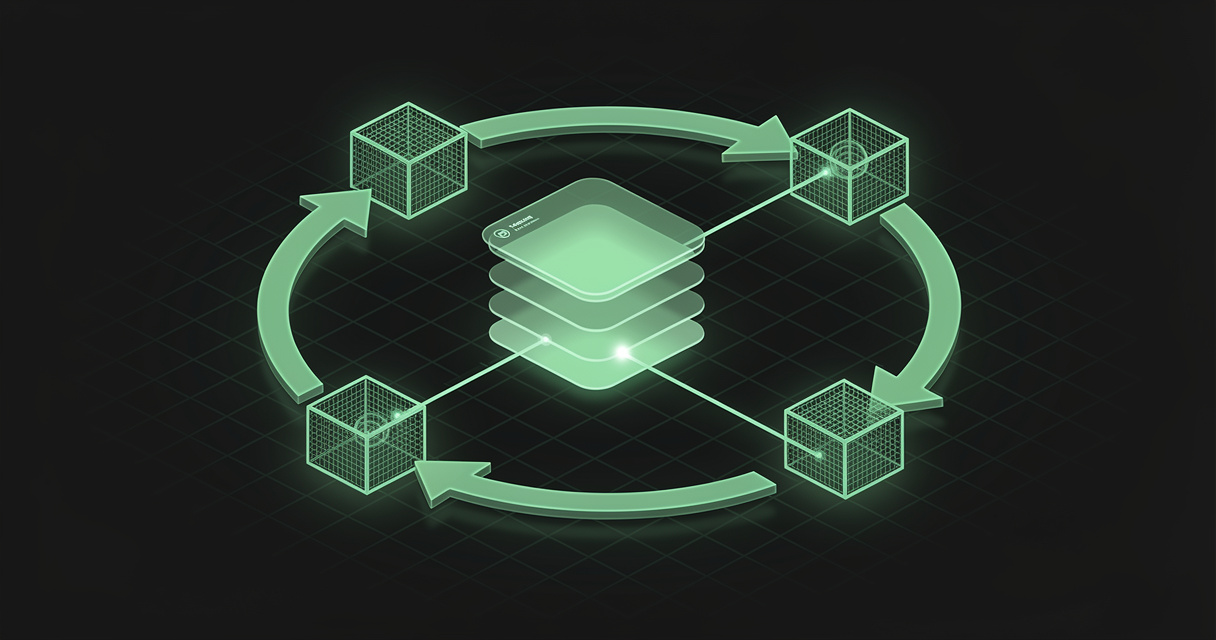
Most of the discourse about agentic coding right now is a loop wrapped around a prompt, pointed at a codebase, and left running overnight. It produces a lot of code. It also produces the 40,000-line pull request that nobody on your team is going to read, and increasingly nobody pretends otherwise.
Kyle Mistele of HumanLayer gave a talk at AI Engineer in July 2026 called Loop Engineering from First Principles, and its argument is the useful one: loops are genuinely powerful, and you can still design them so that a human reads the code. You just have to build them like control systems instead of bash while-loops.
TL;DR — Loop engineering is designing the loop that prompts your agent rather than prompting it yourself. The version that survives contact with a real codebase borrows control theory: a set point (the desired end state), a sensor that measures how far you are from it, a controller that picks exactly one small change, and an actuator — an agent plus a skill — that applies it. The result is a small, reviewable pull request per run instead of an unreadable diff. Almost every component that isn't code is prose: the set point, the golden patterns, the accumulated feedback. That prose is what a markdown workspace like MDflow is for.
What is loop engineering?
Loop engineering is the practice of designing, tuning, and maintaining the loop that drives a coding agent, instead of driving the agent by hand. The phrase went mainstream when Peter Steinberger — the person behind OpenClaw — posted that you shouldn't be prompting coding agents anymore, you should be designing loops that prompt your agents. Boris Cherny, who created Claude Code, had said much the same thing on stage days earlier: he doesn't prompt Claude, he has loops running and they do the prompting.
The ancestor of all of this is the Ralph loop, named by Geoffrey Huntley. In its purest form Ralph is a bash while loop that feeds a prompt to a coding agent over and over until the work is finished:
while :; do
  cat PROMPT.md | your-coding-agent
done
Mistele is careful, and correct, to say this is not a criticism of Ralph. It is a sharp tool that works very well for certain problems — particularly if you are working alone and not on a critical system. Huntley himself describes it as a teaching device. The trouble is that most engineers are on a team, with real customers, service level agreements and regulatory obligations, and cannot ship a YOLO 40,000-line pull request straight to production.
There is also a cost argument, and it has two halves. Running blind loops at scale is expensive in tokens if you don't work at a frontier lab with an unlimited budget. And as Matt Pocock has pointed out, bad code is more expensive in the age of agents than it has ever been — every agent that touches your codebase afterwards reads it, imitates it, and propagates it.
Steal control theory
Control theory is the branch of engineering concerned with driving a dynamic system toward a desired stable state, incrementally, without destabilising it. Your codebase is the dynamic system. The loop is the controller. It sounds exotic and it is not: it is how a thermostat works, and you already run control loops all day.
| Component | In control theory | In an agentic loop |
|---|---|---|
| Set point | The desired state of the system | The end state of the codebase, on one property |
| Sensor | Measures the current state | ast-grep / lint rule / an agent with a skill |
| Measured error | Set point minus current state | The list of remaining violations |
| Controller | Turns error into a control signal | Picks exactly one violation to fix, and how |
| Actuator | Applies the change | The coding agent plus a skill |
| Disturbances | What perturbs the system meanwhile | Your teammates, shipping |
Kubernetes autoscaling is a control loop. Infrastructure-as-code — desired state, current state, iterative change — is a control loop. Postgres autovacuum and React's virtual DOM both approximate one. Control loops are the right shape whenever you have a system you want to change, a property you can measure, and a way to get feedback on the result.
The critical property is incrementality. A control loop deliberately does not jump straight to the end state. It nudges, re-measures, and nudges again, which is what keeps it from over-steering and blowing everything up. That is the exact opposite of what Mistele calls a blind Ralph loop — and it is why the pull request at the end of a control loop is small enough to read.
What a real control loop looks like
HumanLayer runs one internally to migrate its RPC API to Effect, a TypeScript library they had already adopted for race-prone code. Roughly 150 procedures. One at a time, by hand, that's about six months of work. Here is the loop, stage by stage — it is a good template because every stage is boring.
1. The sensor: find the remaining work deterministically. They use ast-grep rather than an agent, because it is language-agnostic, works across a multilingual monorepo, and lives out of band from the TypeScript config and ESLint rules — which, as any TypeScript developer has watched, an agent will happily disable with an inline comment. A rule matches the unmigrated procedure pattern and a scan returns every violation, which is then trimmed to a handful of fields and sorted deterministically.
Sensors don't have to be deterministic. They can be an agent with a skill and a set of natural-language rules, or a pipeline combining both. And the boundaries blur in practice: React Doctor, Aiden Bai's CLI for finding React anti-patterns, is really a hybrid sensor and controller — it tells you every problem and also which three to fix first.
2. A disturbance dampener: stop the bleeding before you start bailing. Before migrating anything, they run a full scan on main, sort the violations, and commit that baseline to version control. Every new pull request is checked against it, so nobody can add new unmigrated procedures while the loop is working through the old ones. This is not strictly part of the control loop — it is how you keep your teammates' shipping from undoing the loop's work.
3. The controller: choose one change, and make it the smallest one. The simple version picks the first violation off the sorted list. The better version uses ast-grep to find the smallest unmigrated procedure, minimising blast radius. Mistele's advice here is worth quoting in spirit: don't send an agent to do deterministic code's job.
The clever version goes further. The migration exists to improve error handling and instrumentation — so the controller can consult telemetry, pick the procedure with the most errors or the worst instrumentation coverage, and pass that data along with the instruction. The actuator then makes the code better rather than performing a one-to-one translation.
4. The actuator: an agent plus a skill. Bring your CLI coding agent of choice. Almost all of the work here goes into the skill, iterated over time based on what actually works. HumanLayer's technique is golden patterns: hand-written, idiomatic examples of the target code, written by a human before the agent is let loose. Agents are pattern replicators — without golden patterns you get whatever was in the docs or on the internet. The skill also carries a response template, and the loop deterministically commits, pushes, and opens a pull request using the agent's final message as the description.
5. Run it in CI, once a day. GitHub Actions (or GitLab, or CircleCI) already has your code, your secrets, and good scheduling and dispatch primitives. You do not need a new cluster. The workflow runs one iteration — sense, control, actuate — and opens a pull request. Every morning there is one small, low-risk diff waiting.
6. A markdown feedback file, so a human can re-steer cheaply. This is the part that turned a frustrating experiment into something they kept. The first version required checking out the branch and editing the skill by hand every time the loop went wrong. Instead: keep a plain markdown feedback file in version control, load it deterministically into the actuator's context on every run, label every pull request the loop creates, and add a comment trigger. A reviewer leaves /iterate on the pull request, the workflow pulls in the diff, the comments and the description, and instructs the agent to fix the code and update the feedback file. The correction is now tracked, diffable, and revertable — instructions with a history, not a Slack message.
7. Flow control, so work doesn't stack. If you're at a customer site for a week, a daily loop leaves seven conflicting pull requests nobody asked for. The fix is one cheap check at the top of the workflow: if any pull request carrying this loop's label is still open, exit immediately. No human has reviewed the last output, so there is no point generating more. At most one open pull request per loop, ever.
8. Then, and only then, speed it up. Have the controller pick three or five procedures instead of one. Give each its own implementation phase and its own context window — cheaper and more reliable than cramming them together. Or run the workflow four times and hand one pull request to each of four people.
Why loop engineering matters
For developers
Because it makes the volume problem tractable without giving up on review. The prevailing thesis — that agents now write more code than anyone can read, so we may as well stop reading it and invest everything in verification — is a real position held by serious people. It is also a bet. Loop engineering is the hedge: keep the throughput, keep the review, by constraining each iteration to something a person can hold in their head.
It also unlocks a category of work that has always been under-funded: the mechanical, unglamorous, months-long improvements nobody gets promoted for. Migrations. Deprecations. Conforming an API to somebody else's OpenAPI spec. Keeping an MCP server current with the specification. Mirroring a library from Python to TypeScript. The test is always the same three questions — can you measure it, can you apply it incrementally, and can you get feedback on the quality of each change?
For AI agents
Because a loop is only as good as the written context it reloads on every single run. The agent has no memory between iterations. Whatever it knows on run 47 arrived through the skill, the golden patterns, the feedback file, and the control signal. That is the entire steering surface, and every piece of it is prose someone wrote deliberately.
This is why the feedback file matters more than it looks. It is the mechanism by which a human's correction survives past a single pull request and becomes part of the loop's standing instructions. Without it, you re-explain the same preference weekly and hope the agent internalises it. With it, the correction is a tracked change to a document — the same written-rule-versus-inferred-behaviour distinction that decides whether a guardrail holds.
Which applications benefit most
- Long incremental migrations — framework, library, or language moves with hundreds of call sites, where the work is repetitive but each step needs judgement.
- Codebase hygiene at scale — rooting out anti-patterns, dead code, unsafe casts, disabled lint rules, and the accumulating slop that agents themselves introduce.
- Spec conformance — keeping an API aligned with an OpenAPI document, or an MCP server aligned with the current protocol version, as the upstream spec moves.
- Cross-language mirroring — keeping a TypeScript SDK in step with its Python original, or a fork current against its upstream.
- Instrumentation and observability backfill — where the controller can consult telemetry to decide which gap to close next, so the loop targets the code that is actually failing.
- Test and documentation coverage — measurable set point, obvious increments, and low blast radius per change.
How MDflow fits
MDflow is not a CI system. It does not schedule workflows, scan code, run agents, or open pull requests. GitHub Actions, ast-grep, and your coding agent do all of that, and should.
What MDflow addresses is the other half of the loop — the half that is written rather than executed. Look back at that walkthrough and count the artefacts that are prose: the set point, the golden patterns, the skill's standards, the feedback file, the reasoning behind why this migration is happening at all. The code lives in the repository. The intent doesn't have to, and often shouldn't — because it usually applies to more than one repository.
What already lines up today
Standards that outlive any single repo. Golden patterns, naming conventions, the definition of "done" for a migration, the rules a loop's skill is supposed to encode — these are frequently shared across several repos and several loops. In MDflow they are plain markdown documents in a folder, not a file duplicated into six checkouts and immediately divergent. This is the same shape as spec-driven development: the spec is the artefact, the code is the output.
Folder descriptions so the agent retrieves the right rules. Every folder carries a description saying what belongs in it, and mdflow_get_context ranks those descriptions above folder names and document titles before returning matching bodies. A folder described as "Effect migration — golden patterns and the rules every migrated procedure must satisfy" is a retrieval signal you authored, not one the model guessed. That is why folder descriptions beat file names.
Every loop and every runtime reads the same documents. The same workspace is reachable from Claude, ChatGPT, Cursor and Codex over the remote MCP server with OAuth or a Personal Access Token, and from a CI job, a cron schedule or an n8n workflow over the HTTP API with a bearer token. A loop running in GitHub Actions and a developer debugging it locally read the same text, and neither has to be pointed at a particular checkout.
Feedback that accumulates with a history. Version history captures the previous version on every saved change across every write path — editor, HTTP API, and MCP — with line-by-line diffs and non-destructive restore. That is the property that makes a feedback file work: you can see how the instructions drifted, and revert the change that made the loop worse. (Version history is a Pro feature, private to the document owner, and deliberately not exposed over the API or MCP.)
The Document Log answers "which loop wrote this?" A cross-document activity feed records created, edited, shared and deleted events with the actor on every row, shown as automated · <token name> for anything arriving through the API or MCP. Give each loop its own Personal Access Token and the log tells you exactly which loop edited the standards document and when — click the row for a side-panel diff.
Tasks as lines in documents. Because /tasks aggregates ordinary - [ ] checkbox lines out of markdown bodies, a loop that records outstanding work as checkboxes produces something a human can re-order, re-date, or tick off, with the document body remaining the single source of truth.
Where we are headed
Direction, not a dated commitment: we are most interested in making the written layer easier for an unattended agent to consume — richer structured retrieval over folder descriptions, and better ways for an agent to record why it changed a standing instruction, not just that it did. A loop's steering surface is only as trustworthy as the history behind it.
The bottom line
Loop engineering is not the choice between reading your code and shipping fast. It is the observation that if you build the loop like a control system — one measurable property, one small change per iteration, one open pull request at a time — you get both. The mechanism is unglamorous: a sensor, a controller, an actuator, a label, and a markdown file that a human can correct in ten seconds from a pull request comment.
That last piece is the one people skip, and it is the one that determines whether the loop gets better over time or just keeps making the same mistake at 6am every day. Write the loop's intent down, somewhere both the agent and the reviewer can read it.
Start free · Connect an AI agent · Read the API docs
Frequently asked questions
What is loop engineering?
Loop engineering is designing the loop that prompts a coding agent, instead of prompting the agent yourself each time. The loop decides what to work on, hands the agent the context it needs, applies the change, and checks the result — then repeats on a schedule or a trigger. Peter Steinberger popularised the phrase in a widely shared post arguing you should no longer be prompting coding agents at all, and Boris Cherny, who created Claude Code, described writing loops as essentially his whole engineering job.
What is the difference between a Ralph loop and an agentic control loop?
A Ralph loop, named by Geoffrey Huntley, is at its simplest a bash while-loop that feeds the same prompt to a coding agent until the work is done. It is a genuinely sharp tool for solo work and non-critical systems. An agentic control loop adds the structure of control theory: a defined end state, a sensor that measures how far the codebase is from it, a controller that picks one small change, and an actuator that applies it. The difference is incrementality — a control loop produces a small reviewable pull request each run rather than one enormous unreviewable diff.
What are the four parts of an agentic control loop?
A set point, a sensor, a controller, and an actuator. The set point is the desired end state of the codebase with respect to some property. The sensor measures the current state and yields the error — this can be deterministic, like an ast-grep rule or a lint rule, or non-deterministic, like an agent with a skill. The controller turns that error into one specific, small instruction. The actuator is the coding agent plus a skill that applies the change. Real systems blur these: a tool like React Doctor is both sensor and controller, and one agent often acts as controller and actuator in a single context window.
How do you keep an agent loop from stacking up unreviewed pull requests?
Give each loop a label, attach it to every pull request the loop opens, and have the workflow check for an open labelled pull request before it does anything else. If one is already open, the loop exits immediately. That guarantees at most one open pull request per loop, so work never stacks or conflicts while a human is away. Kyle Mistele of HumanLayer calls this flow control, and pairs it with a markdown feedback file in version control that the loop reads on every run and updates when a reviewer comments.
Does MDflow run agent loops?
No. MDflow does not run CI, schedule jobs, scan code, or open pull requests — that is what GitHub Actions, ast-grep, and your coding agent are for. MDflow holds the written half of a loop: the set point in prose, the golden patterns the actuator imitates, the standards that apply across several repositories, and the accumulated feedback. Agents read and write those documents over MCP or the HTTP API, folder descriptions tell the agent what each set of documents is for, and version history plus the Document Log record every change and who made it.
Further reading
- Loop Engineering from First Principles — Kyle Mistele, HumanLayer, at AI Engineer (July 2026)
- Ralph Wiggum as a "software engineer" — Geoffrey Huntley's original post
- A Brief History of Ralph — HumanLayer
- humanlayer/skills — includes
design-control-loopandbuild-iterated-agentic-loop - ast-grep — the language-agnostic structural search tool used as the sensor
- React Doctor — Aiden Bai's hybrid sensor/controller for React anti-patterns
- The agentic coding loop, and the markdown memory it needs — the inner loop this one wraps
- AI code verification: the new bottleneck — the review side of the same problem
- Why harness engineering isn't enough — HumanLayer's other AI Engineer talk
- MDflow MCP documentation and HTTP API documentation