Build a Portable AI Memory You Own (ChatGPT + Claude)
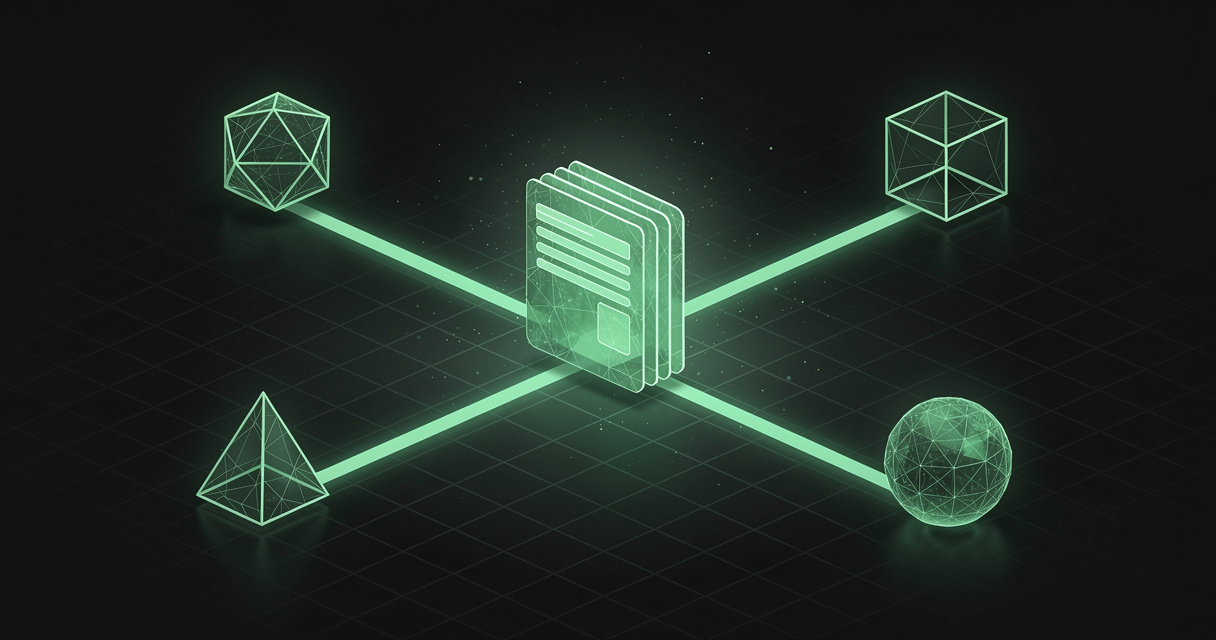
Every few days the same small ritual repeats. You open ChatGPT or Claude, and before you can ask anything useful you paste in the same background you pasted last week — the project brief, the stack decisions, the client's quirks, the conventions you always forget to mention. The model is brilliant and starts every conversation as a stranger. Your knowledge lives in one place; your AI lives in another; and you are the copy-paste bridge between them.
The obvious retort in 2026 is: but ChatGPT has memory now. So does Claude. Both are true, both are genuinely useful — and neither actually retires the ritual. The memory each vendor gives you is a retention feature for their product: it lives on their servers, works only inside their app, and is not something you can pick up and carry to the next tool. Switch from ChatGPT to Claude, or reach for Cursor mid-task, and you are re-explaining yourself all over again.
This post is about the fix: a portable AI memory you own — one curated markdown knowledge base that every assistant reads and writes, that you can see, edit, and export, and that does not evaporate when you change tools.
TL;DR — ChatGPT and Claude both have built-in memory, but each is a per-vendor silo: it doesn't cross to other tools and you don't own it as a file. A portable AI memory is plain markdown you control, served to every assistant over the open Model Context Protocol so ChatGPT, Claude, Cursor, and Codex all read and update the same knowledge. MDflow is a hosted home for exactly that — markdown you own, a folder-description retrieval layer, agent write-back, and a raw
.mdtwin behind every document. Start free.
What "a portable AI memory you own" means
A portable AI memory is a knowledge base you author and control, in plain markdown, that any AI tool can reach — as opposed to an opaque memory a single vendor derives and keeps for you. Three properties make it "portable" and "yours":
- One memory, many tools. The same knowledge feeds ChatGPT, Claude, Cursor, Codex, and anything else that speaks HTTP or MCP. You maintain it once; every assistant benefits.
- You own it as files. It is markdown you can read, edit by hand, diff, and export. There is no proprietary blob you have to trust and cannot inspect. If you leave the service, your knowledge leaves with you.
- Authored, not auto-derived. You decide what goes in and how it is organized. A curated fact you wrote is more trustworthy than an inference a model quietly extracted from a chat six weeks ago.
Contrast that with the built-in memories. ChatGPT's memory and Claude's memory are both the model watching you and keeping notes on its own servers. That is convenient, but it is the opposite of portable: the notes are shaped for that vendor's model, stored in that vendor's account, and readable only by that vendor's app. Useful — but not yours in any movable sense.
Why built-in ChatGPT and Claude memory isn't enough
Built-in memory is real and improving fast — the problem is not that it's bad, it's that it's structurally single-vendor. Here's the honest picture.
What ChatGPT's memory does. ChatGPT remembers in two ways. Saved memories are an explicit, editable list of facts ("I'm vegetarian," "deploy target is Vercel") the model maintains for you. Reference chat history lets it draw on your past conversations — extended in early 2026 to reach back roughly a year — so a new chat already reflects what it has learned. You can view, delete, and turn all of it off. (OpenAI: Memory and new controls; Memory FAQ.)
What Claude's memory does. Claude, rolled out through 2026, automatically synthesizes key points across your chats (refreshed on a daily cadence), keeps a separate memory space per Project, and can search your past conversations on paid plans. It is editable, and it tells you when it is drawing on a memory. (Anthropic: chat search and memory.)
Both are worth leaving on. But three limits keep them from being the memory you actually want for work:
- They're siloed per vendor. Your ChatGPT memory is invisible to Claude, and Claude's is invisible to ChatGPT, Cursor, Gemini, and Codex. Each tool builds its own separate profile of you, and none of them shares. As one 2026 roundup put it, each vendor's memory is "a retention feature for its own product, not a portable record of you." Claude shipped a one-time import that can copy your ChatGPT and Gemini context — a real step — but a copy made once is not a shared memory; edit it in one place and the others never learn.
- They're opaque and auto-derived. The model decides what to remember and how to phrase it. Saved lists drift and go stale; synthesized summaries are a black box you can nudge but not truly author. For casual preferences that's fine. For a spec you need cited correctly, "the model probably remembers" is not good enough.
- They're owned by the vendor, not you. You can delete entries, but you cannot pick up your memory as a set of files and take it to the tool that does the job better this month. That is the definition of lock-in — and through 2025 it was a deliberate one, because the longer a tool remembered you, the more expensive it was to leave.
The takeaway isn't "turn off vendor memory." It's that the layer you re-explain most — durable project and work context — belongs somewhere you own and every tool can read, not inside one app's walls.
Who needs a portable memory most
Built-in memory is plenty if you use one assistant for light, personal continuity. A portable memory pays off the moment your context is valuable and your tools are plural:
- Multi-tool users. If you bounce between ChatGPT and Claude — one for drafting, one for reasoning — a shared memory means you brief them once, not twice.
- Developers across editors and agents. Claude Code, Cursor, and Codex each want the same project context: architecture, conventions, gotchas. Repo-local
CLAUDE.mdandAGENTS.mdfiles are exactly this instinct; a hosted markdown memory extends it to the assistants that aren't sitting in your repo. - Founders, consultants, and freelancers. Client backgrounds, positioning, and decisions are your working capital. You want that context authored, reusable across every tool you pitch with, and not trapped in one vendor's account.
- Researchers and writers. Sources, outlines, and running notes that any model can pull from — and that you can read and cite yourself — beat an inferred summary you can't fully see.
- Privacy-minded and portability-minded people. Anyone who wants to know exactly what their AI "knows," edit it directly, and keep it if they switch tools.
The common thread: the more your context is worth re-using, the less you want it locked in a black box you can't move.
How to build a portable AI memory you own (with MDflow)
You can build a portable memory out of plain markdown files and an MCP bridge yourself — the local-first tool Basic Memory does this over an Obsidian vault, and its tagline is literally "never re-explain your project to your AI again." That approach is great if you want everything on your own disk. MDflow makes the same idea hosted, multi-client, and zero-setup: markdown you own, reachable by every assistant without a local server to babysit. Here's the shape of it, and how to start.
The setup, in four steps
- Make a workspace for your memory. Create a folder (say, Project Atlas) and — this is the important part — write its description. In MDflow a folder's description is not decoration; it is the primary signal the retrieval layer ranks on. "Client work for Atlas Corp: brand voice, API conventions, and open decisions" tells every agent what lives here before it opens a single file.
- Write your context as documents. Put the brief, the decisions, the conventions, the glossary — one markdown document each. Paste in the background you used to paste into every chat. This is the memory, authored once.
- Connect your assistants. Claude and the ChatGPT app add
https://mdflow.cz/api/mcpas a custom connector and sign in — no token to paste (OAuth, in beta, needs MDflow Pro). Prefer a header-based client, or using Claude Code, Cursor, or the OpenAI Responses API? Create a revocable Personal Access Token and drop it in anAuthorizationheader. The step-by-step per-client guide is in How to Give ChatGPT and Claude Access to Your Notes and the MCP setup post. - Let them read and write. Ask an assistant to "check Project Atlas for our API conventions," and it retrieves the right document instead of guessing. Ask it to "record the decision we just made," and it writes back — so the memory stays current without you doing the bookkeeping.
What already lines up today
Markdown you own, not a memory blob. Every MDflow document is plain-text markdown — the same thing you edit and the agent reads. There is no extracted-facts database you can't inspect. What you write is what you keep, and it is portable by construction: read it in the editor, pull it over the API, or fetch its raw .md twin.
A raw .md twin behind every shared document. Append .md to any shared MDflow link and you get the document as plain markdown with YAML frontmatter (title, canonical_url, md_url, visibility) over open CORS. Any tool that can fetch a URL can read and cite your memory in one request — even the ones that don't speak MCP yet. (This very post has a .md twin; the link is at the top.)
Retrieval without a vector database. How does one memory scale past a single context window? Not embeddings — folder descriptions as a curated ranking signal. mdflow_get_context scores folder descriptions first, then names and titles, and returns only the relevant markdown as readable text plus structured JSON. It is keyword-ranked retrieval you can read and tune, not a black box. (The mechanics are in Folder Descriptions as Agent Context.)
Agents that write, so the memory doesn't rot. The failure mode of any hand-kept knowledge base is that humans stop updating it. MDflow's MCP server and HTTP API, authenticated with a Personal Access Token or an OAuth connector, let Claude, ChatGPT, Cursor, and Codex create, update, move, and organize documents — the agent-maintained-wiki pattern from The Karpathy-Style Wiki. Automatic version history with line diffs and one-click restore sits behind every write, so letting an agent touch your memory is safe and reversible.
One endpoint, every client. The same hosted server answers Claude, the ChatGPT app, Claude Code, Cursor, VS Code, and the OpenAI Responses API. You maintain one memory; each tool connects to the same URL. That is the "one memory across AI tools" property the built-in memories can't offer, because they never leave their own app.
Governed and private. Public links and private email sharing, collections that group documents across folders, anchored comments, server-side ownership checks, and optional client-side AES-256 encryption for the documents that need it. A memory you own should also be a memory you control.
Where we are headed
This is direction, not a dated commitment, but the shape is clear:
- Serving a whole collection as one cross-linked bundle over the remote server, so an assistant can pull an entire curated memory in a single call — closer to a hosted
index.md+ articles model. - Scoped tokens — read-only and folder-scoped Personal Access Tokens, so you can hand a given assistant exactly the slice of memory it needs.
- Richer typed metadata on documents, aligned with emerging standards like Google's Open Knowledge Format, so a folder of notes becomes a set of typed, queryable concepts without leaving the editor.
- Capture-to-memory. The MDflow Web Clipper already turns web pages into clean markdown; the next step is dropping clipped context straight into your agent-ready memory.
The bottom line
Built-in memory made ChatGPT and Claude less forgetful — inside their own walls. It did not make your knowledge portable, and it did not make it yours. The layer you re-explain most, your durable project and work context, still ends up siloed in one vendor's account, opaque and unmovable.
A portable AI memory flips that: author it once as plain markdown you own, and serve it to every assistant over an open protocol. MDflow is a hosted home for that memory — markdown-native storage, folder-description retrieval, safe agent write-back, a raw .md twin behind every document, and one endpoint that Claude, ChatGPT, Cursor, and Codex all connect to. Write it down once, own it, and stop re-explaining yourself.
Start free · Connect an AI agent · Read the API docs
Frequently asked questions
Does ChatGPT remember my projects between chats?
Yes. ChatGPT has memory in two parts — saved memories (an explicit, editable list) and reference chat history (it can draw on past conversations, going back roughly a year as of early 2026). But that memory is siloed to ChatGPT: Claude, Cursor, Gemini, and Codex cannot read it, and you don't own it as a portable file you can move or export cleanly.
Can I share one memory across ChatGPT and Claude?
Not natively. Each vendor's memory works only inside its own app. Claude added a one-time import that can copy your ChatGPT and Gemini context, but that is a migration, not a shared live memory — update it in one tool and the others never see the change. The only way to get one memory across every tool is an external memory you own: plain markdown that each assistant reads and writes over an open protocol like MCP.
What is a "portable AI memory you own"?
It is a knowledge base stored as plain markdown files you control — readable, editable, and exportable — that any AI tool can read and update over an open standard (the Model Context Protocol) or an HTTP API, instead of an opaque, auto-derived memory locked inside one vendor. Because it is just files, it survives any change of model, app, or subscription.
Is the built-in ChatGPT or Claude memory good enough?
For personal preferences and casual continuity, yes — it is genuinely useful and worth leaving on. For the project and work context you re-explain constantly — specs, decisions, client details, coding conventions — a curated memory you author and own is more reliable, more transparent, and works across every tool instead of one.
How do I connect my markdown memory to ChatGPT and Claude?
Store it in MDflow and connect over the hosted MCP server. Claude and the ChatGPT app add https://mdflow.cz/api/mcp as a custom connector and sign in with OAuth — no token to paste (in beta, needs MDflow Pro). Header-capable clients like Claude Code, Cursor, and the OpenAI Responses API use a revocable Personal Access Token. Both read and write the same markdown.
Further reading
- OpenAI — Memory and new controls for ChatGPT · Memory FAQ
- Anthropic — Use Claude's chat search and memory to build on previous context
- Basic Memory — Local-first, markdown AI memory over MCP
- Model Context Protocol — Official specification and docs
- MDflow — How to Give ChatGPT and Claude Access to Your Notes · AI Agent Memory vs RAG vs a Plain Markdown File · The Best MCP Knowledge Base for ChatGPT & Claude · MCP documentation · API documentation