Web Clipper to Clean Markdown: Save Any Article Your AI Can Read
You find the article that finally explains the thing. You bookmark it, close the tab, and move on. Six months later you need it back — and the bookmark leads to a redesigned page where the section you wanted is gone, or a paywall, or a plain 404. The knowledge you meant to keep was never yours; you kept a pointer to someone else's server, and the pointer rotted.
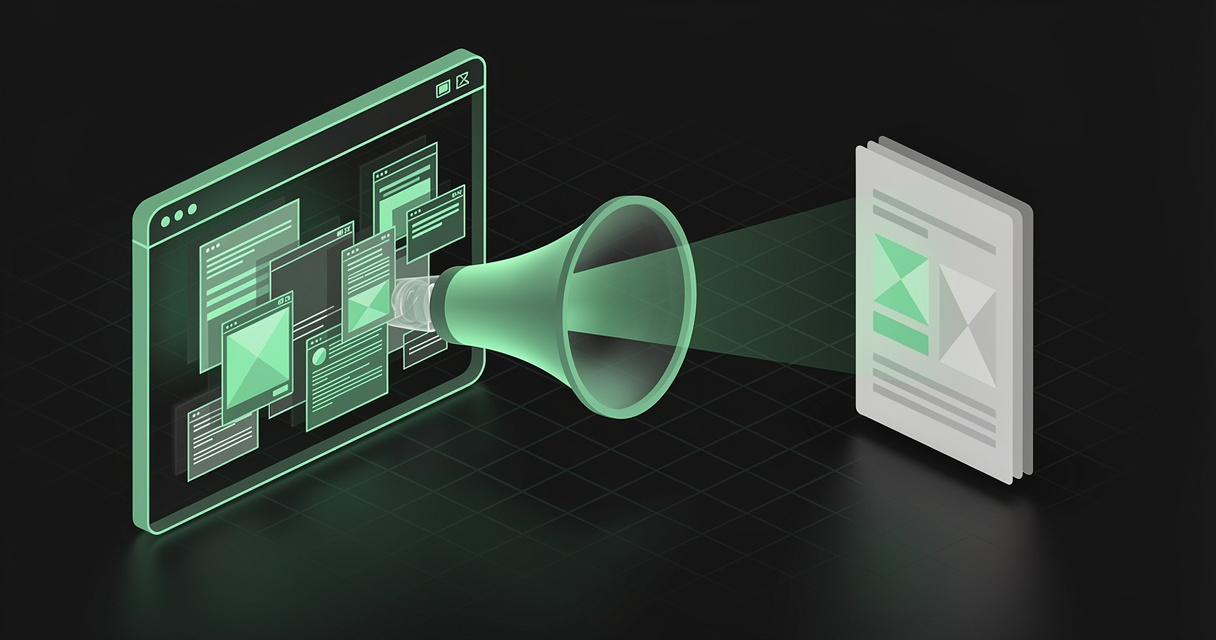
A web clipper fixes this by keeping the content instead of the link. The best clippers do one more thing that matters in 2026: they save that content as clean markdown — a plain-text format that is not just readable by you, but readable by your AI. This is the difference between a graveyard of dead bookmarks and a living reference library your agents can search and cite.
TL;DR — A web clipper is a browser extension that captures a page, strips the clutter, and saves the article as clean markdown you own. Clip the pages worth keeping, store them somewhere searchable, and — the step most guides miss — store them somewhere your AI can read them back. MDflow's Web Clipper turns any page into tidy markdown in a folder you pick, and because your workspace speaks MCP and an HTTP API, ChatGPT, Claude, Cursor, and Codex can retrieve your clips as context. Start free.
What is a web clipper?
A web clipper is a browser extension that captures a web page and saves it as a note you keep. You are reading a page, you click the clipper, and instead of a bookmark (a link that breaks) or a screenshot (an image you cannot search), you get a durable copy of the actual content.
A good clipper does three things in sequence:
- Extract the article. It runs a readability pass — the same idea as your browser's Reader View, and often the very same engine, Mozilla's Readability — to find the main content and throw away the navigation bars, cookie banners, ad slots, newsletter pop-ups, comment widgets, and "related posts" rails.
- Convert to markdown. It turns the surviving HTML into clean markdown, preserving structure that matters: headings, ordered and unordered lists, code blocks, tables, blockquotes, and links.
- Save it where you want it. Into a notes app, a local file, or — in MDflow's case — a folder in a cloud workspace, with a title and any metadata you add.
The result is a note that reads like the article and nothing else. Web clippers have been around for years — Evernote popularized the term, and the Obsidian Web Clipper brought a modern, markdown-native version to a wide audience. What changed recently is why the markdown matters: it is now the format your AI agents read too.
Why clean markdown beats a bookmark (or a screenshot)
Because markdown is content, and a bookmark is only a promise. Compare what you actually own with each approach:
| You saved… | Searchable? | Survives the page changing? | Editable | Your AI can read it |
|---|---|---|---|---|
| A bookmark | No (title only) | No | No | No |
| A screenshot / PDF print | No (it is an image) | Yes | No | Poorly |
| A "read it later" queue item | Sometimes | Often (their copy) | No | No — locked in their app |
| A markdown clip you own | Yes (full text) | Yes | Yes | Yes |
Markdown is the format that keeps giving. It is plain text, so it is greppable in your editor, indexable by Spotlight, diffable in Git, and openable by every tool you will ever use. It is portable, so nothing you clip is trapped in one vendor. And it is the lingua franca of AI: every large language model was trained on mountains of markdown, so a clipped article in markdown is something an agent parses natively — headings become sections, code fences stay code, tables stay tables. Save a page as a screenshot and your AI sees a picture; save it as markdown and your AI sees the argument.
Why web clippers are useful — for you and for your AI
For you, a web clipper replaces four leaky habits with one durable one:
- Read-it-later, minus the rot. Clip long articles into a calm, ad-free document instead of a 78th open tab you will never reopen. The saved copy is yours, so it does not vanish when the source does.
- A research and reference library. Send papers, docs, standards, and sources into a project folder. Typed frontmatter can capture author, source URL, and publish date automatically, so every clip arrives already labeled.
- Highlight-first reading. Highlight the passages that matter as you read, then clip only your highlights — keeping your library lean instead of a pile of full-page dumps.
- Full-text search over everything you ever kept. Once clips are markdown in one place, "that post about the CORS preflight cache" is one query away, matched on its body, not just a title you half-remember.
For your AI, the payoff is bigger and newer. An LLM is only as good as the context you can hand it, and its training data has a cutoff. The articles you clip — a new framework's docs, a competitor's changelog, a research paper, your industry's reporting — are exactly the fresh, specific context a model lacks. If those clips live somewhere agent-readable, your assistant stops guessing and starts citing your library:
- Ask Claude to "summarize the three articles I saved about the EU AI Act" and it reads the real clips.
- Ask Cursor to "follow the API pattern from the docs page I clipped last week" and it works from the source, not a hallucination.
- Ask ChatGPT to "compare what these two posts say about RAG" and it reasons over content you curated.
That only works if the clip is somewhere the agent can reach — which is where most clippers fall short, and where the storage choice becomes the whole story.
Which use cases benefit most
- Researchers and analysts building a cited source library that outlives the open tabs.
- Developers clipping API docs, RFCs, changelogs, and Stack Overflow answers into a project folder their coding agent can read.
- Writers and journalists collecting references, quotes, and background into one searchable place.
- Students turning readings and lecture pages into durable, annotatable notes.
- Anyone building a second brain who wants the archive to be useful to their AI, not just to future-them.
- Teams curating a shared reference set — market intel, competitor moves, standards — that agents can retrieve on demand.
The common thread: the value is not in saving the page, it is in finding and reusing it later. A clipper that writes to a black hole gives you neither.
How MDflow fits
MDflow's Web Clipper is a full-featured clipper whose clips land in a workspace your AI can actually read. It shares the modern feature set you would expect from a best-in-class clipper — and closes the loop that a local-vault clipper leaves open.
What already lines up today
Clip any page to clean markdown. Install the extension (Chrome and Chromium browsers like Brave, Arc, and Edge; Firefox on desktop and mobile; Safari on macOS, iOS, and iPadOS), open a page, and clip it from the toolbar popup, a dockable side panel, an embedded in-page overlay, the right-click menu, or a keyboard shortcut. It extracts the main article, strips the clutter, and converts to clean markdown. Clip the full article, a text selection, or just your saved highlights.
Highlight the web, and keep the highlights. Highlight text, individual elements, or whole pages directly in the browser; highlights persist across reloads and repeat visits. When you clip, choose whether to keep them inline, replace the page content with only your highlights, or drop them — and manage every highlight in a dedicated searchable view.
Templates, properties, and variables. Set up a template per kind of page — articles, recipes, videos, threads, product pages — that fires automatically by URL pattern or the page's schema.org data, and controls the document name, destination folder, content, and metadata. Typed properties write YAML frontmatter (author, source URL, date, tags) to the top of each clip, so your library arrives structured. Preset variables pull title, author, published date, domain, URL, word count, and more straight from the page.
AI extraction, with your own key. The clipper's Interpreter runs natural-language prompts like {{"a three-bullet summary of this article"}} as you clip, using your own provider and key — Anthropic Claude, OpenAI, Google Gemini, DeepSeek, Perplexity, OpenRouter, Ollama, and more. Requests go straight to your provider; MDflow never sees or stores them.
Where clips land is the point. Every clip saves into your MDflow workspace as a new markdown document in the folder you choose — over the same HTTP API and Personal Access Token your scripts use. And because that workspace is agent-native, the article you just clipped is immediately readable by your AI:
- Retrieval by topic.
mdflow_get_contexttakes a topic, ranks your folder descriptions first, then titles, and returns the most relevant clip bodies — so an agent pulls the three articles that matter, not your whole archive. - Every major client, one workspace. Over MDflow's MCP server, Claude and the ChatGPT app connect with an OAuth sign-in (no token to paste; in beta, Pro), while Claude Code, Cursor, and Codex use a Personal Access Token.
- A raw
.mdtwin for everything else. Share a clipped article and append.mdto the link to get plain markdown with YAML frontmatter over open CORS — any tool that can fetch a URL can cite it.
This is the difference from a local-vault clipper like Obsidian's excellent one: the clips are just as clean, but they are not stranded on one laptop. They live where your agents already look. (For the full local-vs-hosted picture, see MDflow vs Obsidian for the AI Era.)
The clipper is free to install and can copy markdown to your clipboard or save a local
.mdfile with no account. Saving directly into MDflow uses a Personal Access Token (mdf_…), which requires MDflow Pro.
Where we are headed
This is direction, not a dated commitment: serving a whole collection of clipped sources to an agent as one cross-linked research bundle, richer typed metadata on clipped documents, and agent-assisted enrichment that proposes tags and folder descriptions for pages you have already saved — so your reference library keeps organizing itself as it grows.
The bottom line
A bookmark is a promise the web rarely keeps. A web clipper keeps the content instead of the link — and when it saves that content as clean markdown, you get a copy that is searchable, portable, editable, and, uniquely in 2026, readable by your AI. The trap is clipping to a place your agents cannot reach. The fix is clipping to a workspace they can.
MDflow is built to be that destination: a Web Clipper that turns any page into tidy markdown in the folder you choose, with highlighting, templates, and bring-your-own-key AI extraction — and an MCP server plus an HTTP API so every article you save becomes context your AI can read back. Clip the web, keep the markdown, and let your agents actually use it.
Start free · Get the Web Clipper · Connect an AI agent
Frequently asked questions
What is a web clipper?
A web clipper is a browser extension that captures a web page and saves it as a note. The good ones extract the main article, strip navigation, ads, and pop-ups, and convert what is left to clean markdown. Instead of a browser bookmark that rots when the page changes or disappears, you keep a durable, readable copy of the content you own.
How do I save a web page as markdown?
Install a web-clipper browser extension, open the page you want to keep, and click the clipper. It runs a readability pass to isolate the article, converts the HTML to markdown (headings, lists, code blocks, and tables preserved), and saves it. MDflow's Web Clipper saves the markdown straight into a folder in your cloud workspace, or copies it to your clipboard, or writes a local .md file.
How is the MDflow Web Clipper different from the Obsidian Web Clipper?
Both turn web pages into clean markdown with highlighting, templates, and bring-your-own-key AI extraction. The difference is where clips land. The Obsidian clipper writes into a local vault on one machine; MDflow's clipper saves to a hosted workspace that is reachable by your AI over MCP and an HTTP API, so an agent can actually read your clips back as context.
Why save articles as markdown instead of bookmarking them?
A bookmark is a pointer, not a copy — if the page changes, goes behind a paywall, or 404s, your bookmark is worthless, and it is never searchable by its full text. A markdown clip is the content itself: greppable, portable, editable, version-controllable, and readable by both you and your AI long after the original page is gone.
Is the MDflow Web Clipper free?
The extension is free to install and can copy markdown to your clipboard or save a local .md file with no account at all. Saving a clip directly into your MDflow workspace uses a Personal Access Token, which requires MDflow Pro. It works in Chrome and Chromium browsers, Firefox, and Safari on macOS, iOS, and iPadOS.
Further reading
- Mozilla — Readability, the article-extraction engine behind Reader View and many clippers
- Obsidian — Web Clipper, the popular local-vault, markdown-native clipper
- MDflow — The Web Clipper · Export ChatGPT to Markdown · MDflow vs Obsidian for the AI Era · Folder Descriptions as Agent Context · The Best Second Brain App · MCP documentation